
The search engine
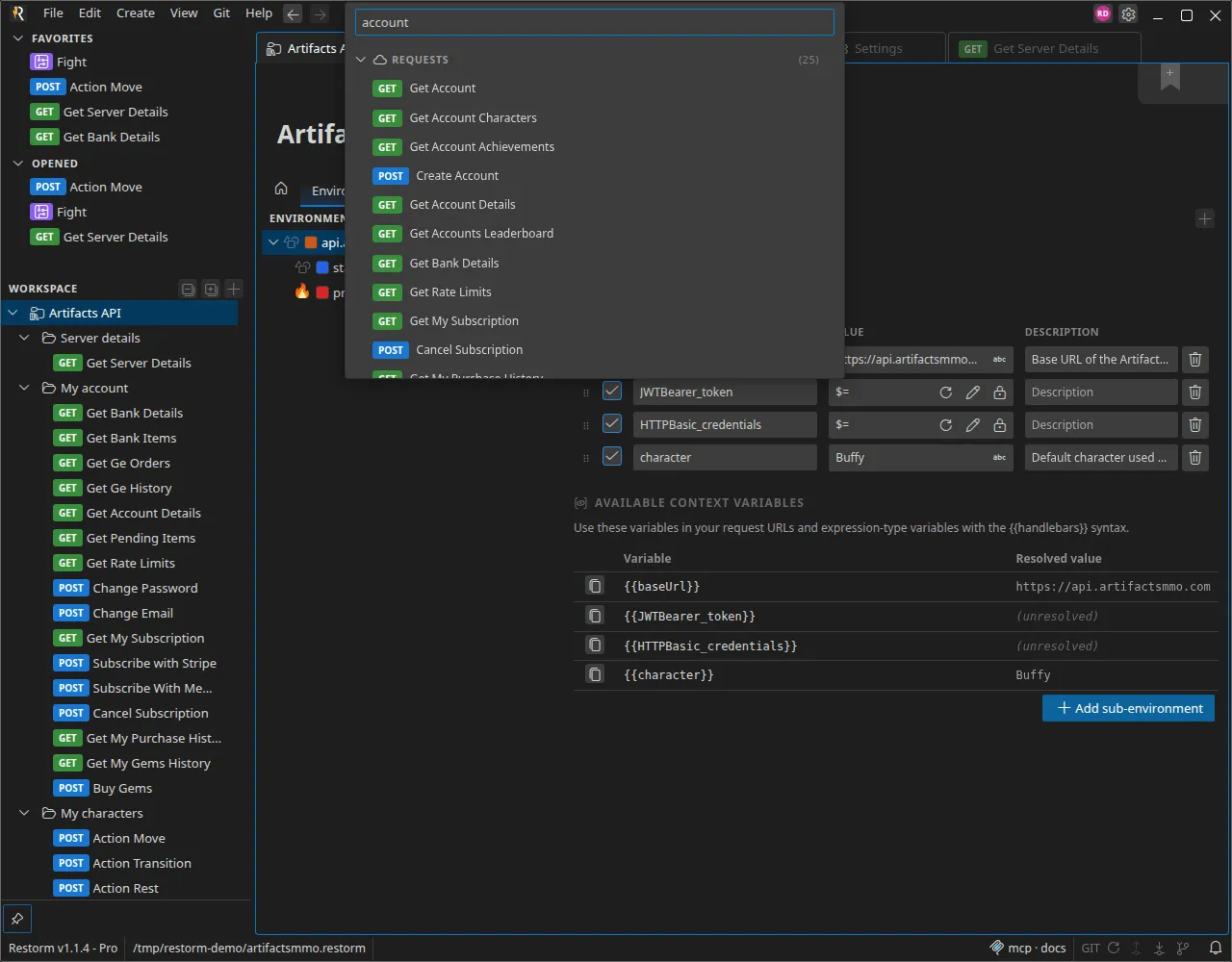
An imported project can hold several hundred operations. The search bar, in the centre of the title bar, brings you back to any item in a few keystrokes.
Opening the search
Section titled “Opening the search”Click the bar in the centre of the title bar (it shows the project’s name at rest). It unfolds into an input field; type, and results appear immediately below, with nothing to confirm.
What it indexes
Section titled “What it indexes”The search is typed: it walks the whole project and groups results by category.
| Category | What is found |
|---|---|
| Requests | Name, method and URL — each result carries its method badge and its folder path, so you can tell two same-named requests apart |
| Folders | Plain folders and environment folders |
| Environments | Environments and sub-environments |
| Scenarios | The project’s scenarios |
| Tags | The labels attached to requests |
| Settings | The application’s settings, to jump straight to the right configuration screen |
Each group’s header shows the number of matches. Hovering a result that came from an imported API shows a documentation preview.
Opening a result
Section titled “Opening a result”Click a result to open it in the workbench — or navigate with the keyboard and
confirm with Enter. Esc closes the search without changing anything.