
Redis
Right-click in the tree ▸ Add ▸ Redis request.
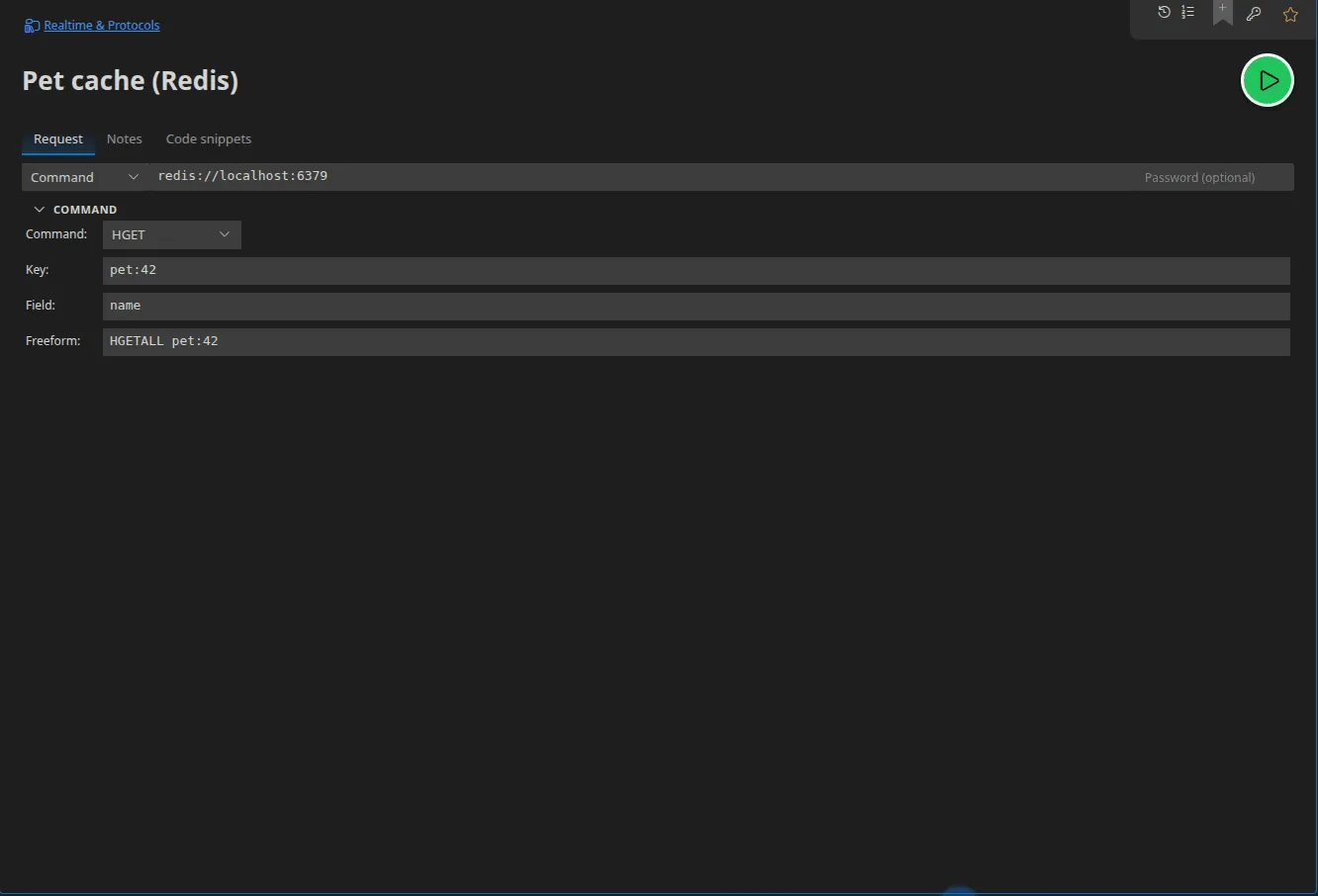
Shared configuration
Section titled “Shared configuration”| Field | Role |
|---|---|
| URL | redis://, rediss:// (TLS) or redis-cluster:// |
| Password | Accepts a Secret-typed value |
| Mode | subscribe or command |
subscribe mode
Section titled “subscribe mode”A Channels field: the list of channels to subscribe to. Published messages arrive as they come in the response panel.
command mode
Section titled “command mode”Two ways of expressing the command:
- the built-in palette — a dropdown (
GET,SET,DEL,HGET,HSET,LPUSH,RPUSH,LRANGE,PUBLISH,XADD,XREAD) plus a list of arguments; - the free-form command, a text field along the lines of
SET foo bar.
The free-form command wins over the palette when it is filled in. That is the mode to use for anything the palette does not cover.
In a scenario
Section titled “In a scenario”- Redis subscribe — subscribes and emits one event per message received;
- Redis close — closes the subscription;
- Redis command — runs a single command on a fresh connection and returns its reply (it is a request / response action, not a long-lived connection).
Code snippets
Section titled “Code snippets”Six targets, for both subscribing and commands: JavaScript (ioredis), redis-cli
and Python (redis-py).