
Importing a Bruno collection
Restorm imports Bruno collections, in two shapes: .bru files and a
collection’s JSON export.
Importing
Section titled “Importing”File ▸ Import (Ctrl+I) then the .bru file or the collection’s .json.
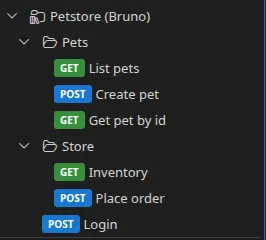
What is imported
Section titled “What is imported”| Bruno element | What Restorm makes of it |
|---|---|
| Folders | Nested folders |
| Requests | HTTP requests — or GraphQL ones |
json, text, xml, form-urlencoded, multipart-form, graphql bodies | The matching body type |
| Query and path parameters | The matching lists |
| Headers | The request’s headers |
| Variables | Environments |
Documentation (docs) | The notes and the API documentation |
Scripts
Section titled “Scripts”As with Postman, your Bruno scripts are converted into a runnable
scenario. Restorm’s
JavaScript code actions expose a bru.*
compatibility layer (including bru.runRequest(name)) as well as the test()
function.
Authentication
Section titled “Authentication”The auth:bearer, auth:basic and auth:apikey blocks, along with oauth2,
awsv4 and digest, are documented but not converted into executable
credentials. Recreate an
authentication route.
Updating
Section titled “Updating”Bruno is one of the re-syncable formats. See Updating from the source.