
Official templates
Restorm maintains a set of official templates that you can use directly from the template library. You can also start from one of them, fork it and adapt it to your conventions.
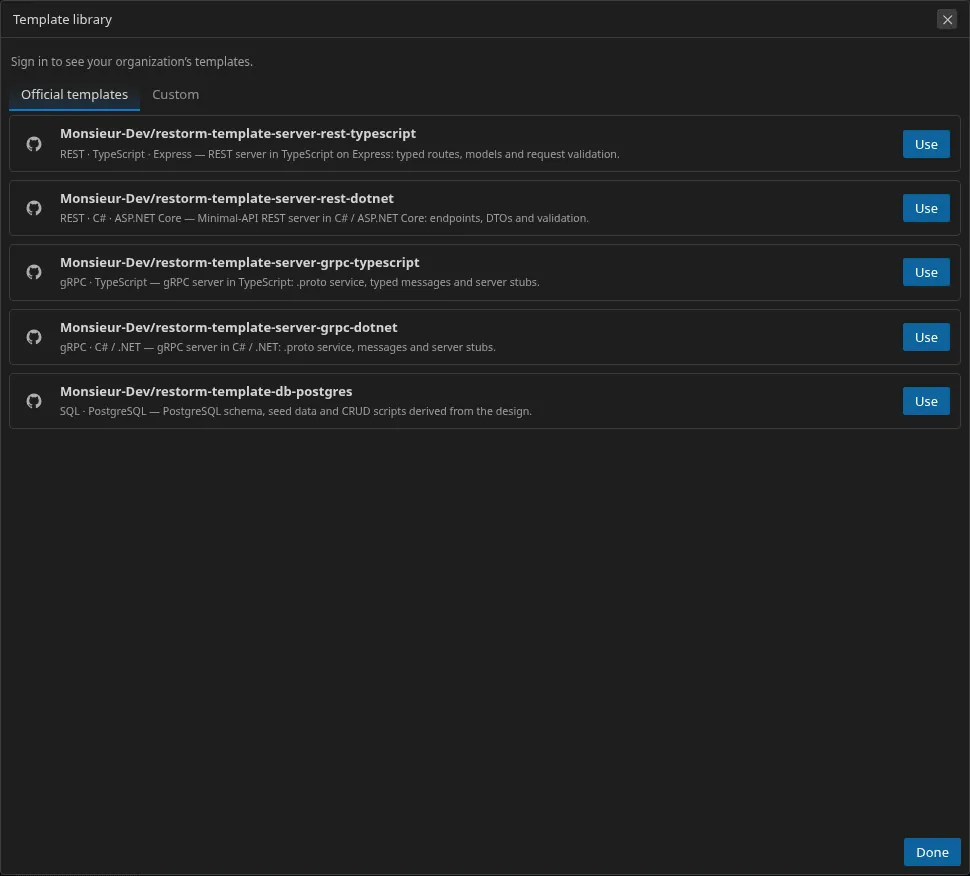
The official catalog
Section titled “The official catalog”The official templates are published under the GitHub organization
Monsieur-Dev:
| Template | Target | Repository |
|---|---|---|
| REST server · TypeScript | REST · TypeScript · Express | restorm-template-server-rest-typescript |
| REST server · .NET | REST · C# · ASP.NET Core | restorm-template-server-rest-dotnet |
| gRPC server · TypeScript | gRPC · TypeScript | restorm-template-server-grpc-typescript |
| gRPC server · .NET | gRPC · C# / .NET | restorm-template-server-grpc-dotnet |
| PostgreSQL database | SQL · PostgreSQL | restorm-template-db-postgres |
Remote templates are fetched as an archive (never cloned via git), with security guardrails and a capped size.
Organization templates (Enterprise)
Section titled “Organization templates (Enterprise)”Organizations on an Enterprise subscription have a private catalog of templates, shared between the organization’s members. They appear in the library under the Templates <organization> tab, next to the official ones.
- Who can add or remove them: an administrator of the organization, or a member to whom the admin has granted the manage templates right.
- How: from the Templates <organization> tab of the library (Add button — the repository URL and a description), or from the organization’s administration dashboard.
- What it is: an organization template is a simple pointer to a git repository (like an official one); its structure is identical to the one described below, but its visibility is restricted to the organization’s members.
The Community and Pro editions see the official templates and can use their own templates (Repository or Local folder) — code generation is free on every edition. Shared organization templates are, themselves, reserved for the Enterprise edition.
Structure of a custom template
Section titled “Structure of a custom template”A Restorm template is a Cookiecutter/Copier template enriched with a manifest:
restorm-template.json— at the root of the repository (required). It describes the template and declares the variables it consumes (see Generation variables). It also announces the context version it supports: a template that doesn’t declare a version compatible with the application is rejected.copier.yml(orcopier.yaml) — the Copier configuration, which declares in particular the questions asked at generation time.- The template files, suffixed with
.jinja, rendered with the design’s context.
To use a custom template, choose the Repository source
(owner/name on GitHub) or Local folder (while you’re
developing it) in the library.