
Server mode
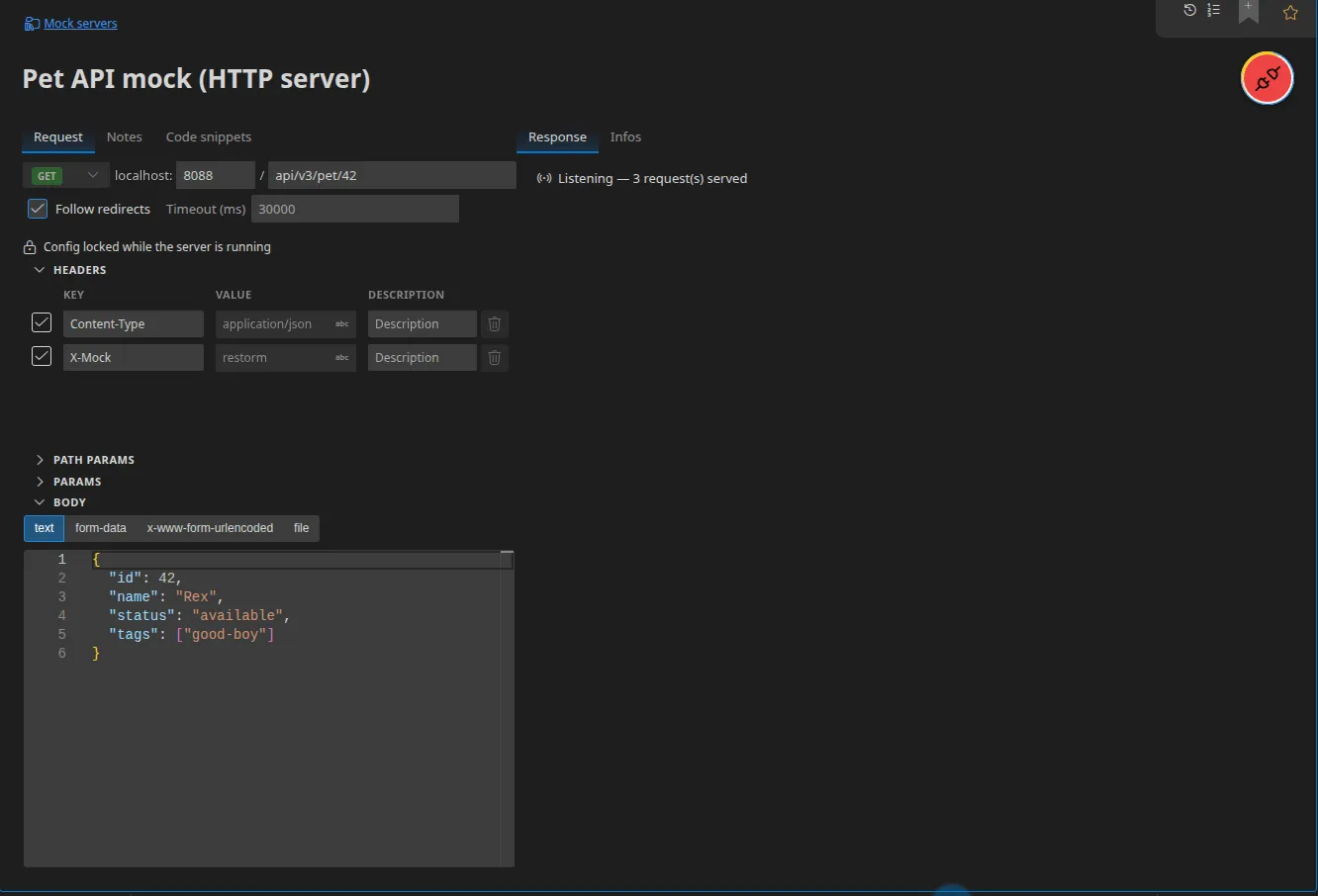
Restorm can host a server, not only call one. You define a route and its response, you start listening, then you point a client at it — typically your application’s code — to test the way it consumes the service.
That is what you need when the real service does not exist yet, when it is hard to
make it produce the response you care about (a 503 error, a SOAP fault, a
specific gRPC status), or when you want a frozen data set for a reproducible test.
The principle is simple, and that is what makes it pleasant: what you configure on the server is the response served. The status, the headers and the body you type in are exactly what the caller receives.
Supported protocols
Section titled “Supported protocols”| Server | Page |
|---|---|
| HTTP | Mocking an HTTP API |
| GraphQL | Mocking a GraphQL API |
| gRPC | Mocking a gRPC service |
| SOAP | Mocking a SOAP service |
| WebSocket, Socket.IO, MQTT | Mocking WebSocket, Socket.IO and MQTT |
| OData | Mocking an OData service |
Creating a server
Section titled “Creating a server”Right-click a folder ▸ Add ▸ then the entry you want. The menu offers eight servers, each being its own item type:
HTTP server · GraphQL server · gRPC server · SOAP server · WebSocket server · Socket.IO server · MQTT server · OData server
The item created carries an SRV badge in the tree. For an HTTP server, the
starting values are GET, localhost:8080/, status 200.
Starting and stopping
Section titled “Starting and stopping”In the panel, the send button is replaced by a Listen ↔ Stop toggle. The response panel shows the live state: Not listening, or Listening — N request(s) served.
The host is fixed to localhost: only the port and the path are editable. A
mock server is not meant to be exposed to the network.
The server stops via the Stop button, by closing the file, or by quitting the application.
Port sharing
Section titled “Port sharing”Restorm opens only one socket per port and dispatches according to the nature of the incoming call: ordinary requests to the HTTP routes, upgrade requests to WebSocket or Socket.IO.
In practice: a mock HTTP server and a Socket.IO server can listen together on
:8080. The port is only released when its last route is stopped.
Variables are resolved live
Section titled “Variables are resolved live”The headers and body served are resolved at serving time, not at start-up: changing an environment variable while the server is listening changes the next reply. See Variables and environments.
In a scenario
Section titled “In a scenario”The … server / … server close actions host a server for the duration of
the scenario, with a served output that emits one event per inbound call.
That is what lets you test a webhook end to end in a single graph. See
Hosted servers.
Comparison with hosted mock servers
Section titled “Comparison with hosted mock servers”| Restorm | Hosted servers (Postman Mock Servers and the like) | |
|---|---|---|
| Where it runs | On your machine | At the provider’s |
| Latency | No network round trip | An Internet round trip |
| Works offline | ✔ | ✘ |
| Source of the response | The request itself, editable | A saved example |
{{ }} templates | ✔, resolved on every call | Limited |
| Port sharing | ✔ | Not applicable |
| Privacy | Nothing leaves the machine | The data passes through the service |