
Requests, folders and environment folders
A Restorm project tree has four families of items.
The plain folder
Section titled “The plain folder”A container for tidiness, with no effect on execution. Use it to group by
functional domain (Billing, Users…).
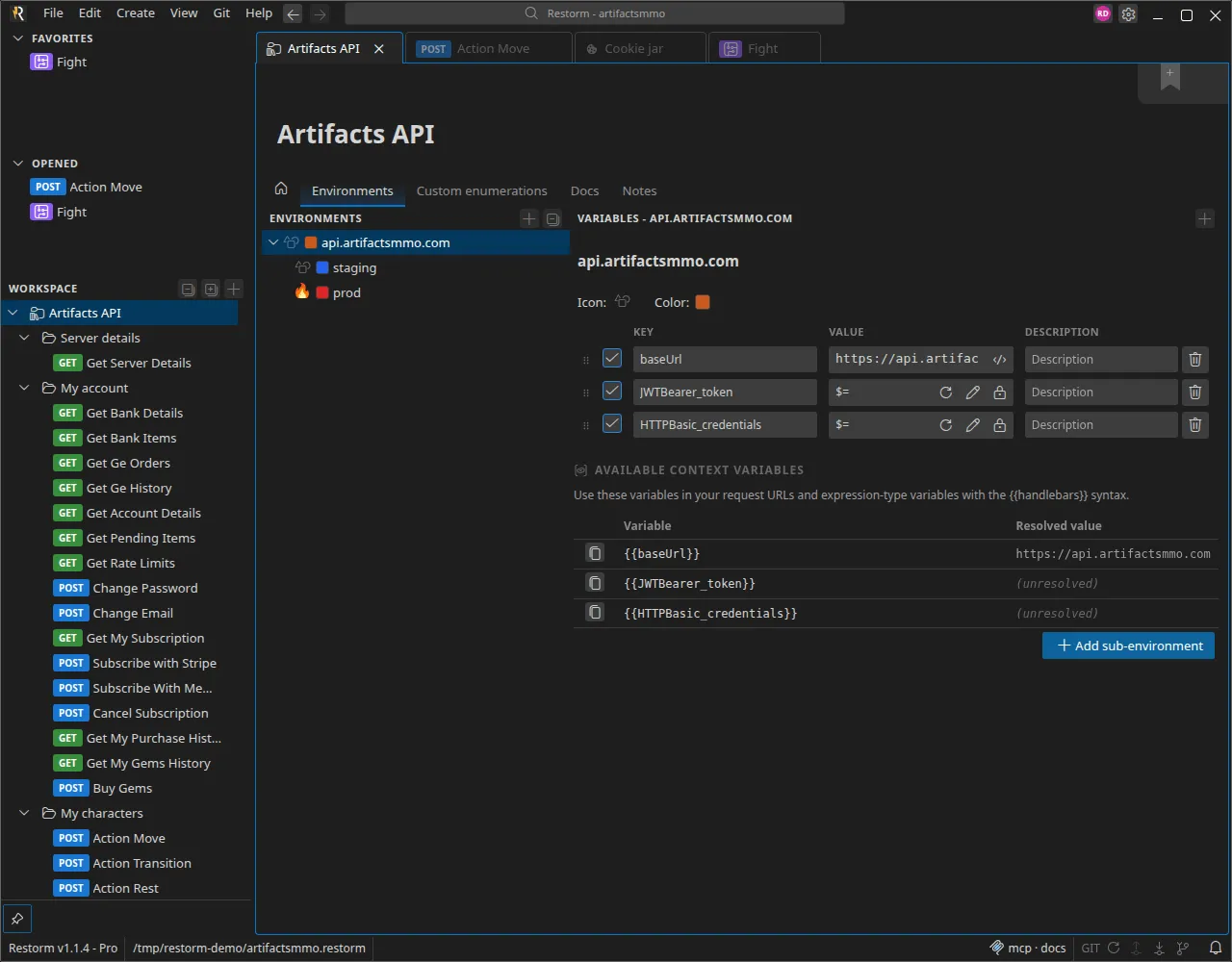
The environment folder
Section titled “The environment folder”This is the central piece. An environment folder (also called a variables folder) carries:
- its environments (
local,staging,production…), each with its own variables, and possibly sub-environments; - its custom value lists;
- the enumerations produced by an import;
- the API documentation generated at import time (models, descriptions, security schemes);
- the authentication routes offered to its requests.
Every request placed under that folder inherits the selected environment. That is
what lets you write {{baseUrl}}/users once and switch between environments from
the smartbar.
An import always creates an environment folder: it is the unit of “re-synchronisation” when you reload the source specification.
The request
Section titled “The request”A request carries a type (the protocol), a name, an icon, notes, tags, and the configuration specific to its protocol. It can also carry:
- an authentication route (Authentication);
- saved quick settings.
Create one by right-clicking ▸ Add ▸ then the protocol you want. The full list is in the protocol catalogue.
The same Add menu offers the eight servers, which are fully fledged items: see Server mode.
The scenario
Section titled “The scenario”A graph of actions that orchestrates requests and logic. See Scenarios.
Handy gestures
Section titled “Handy gestures”| Gesture | Effect |
|---|---|
F2 | Rename the selected item |
Ctrl+D | Clone the item (with its subtree) |
Del | Delete |
| Drag and drop | Move within the tree, reorder favorites |
| Middle-click a breadcrumb | Open the ancestor in a background tab |
Deprecated requests
Section titled “Deprecated requests”A request can be marked deprecated — which is exactly what re-syncing an import does when an operation disappears from the source specification. It stays in the tree, with a warning banner at the top of its tab, rather than being deleted from under your feet.