
Secrets
A Restorm project is meant to be committed. Secrets must never make it in there. The Secret value type answers that need: the variable records a reference to a source, never the value itself.
How it works
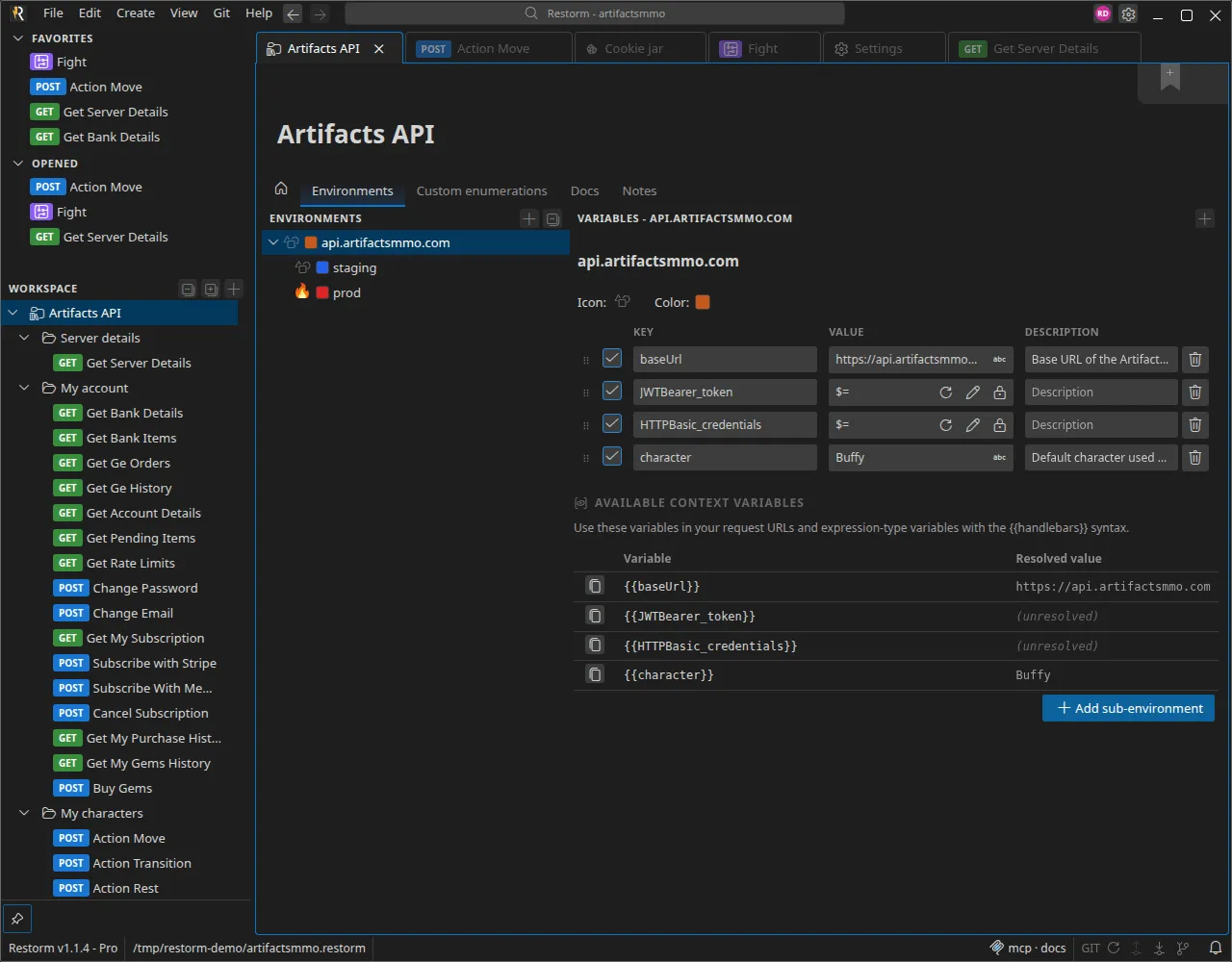
Section titled “How it works”Choose the Secret type on a variable, then the source. The project file then holds nothing but the source’s identifier and its parameters. The value is resolved in the main process, at execution time.
What the Secret type protects
Section titled “What the Secret type protects”A secret stays visible from within the application: the environment editor, the resolved-value views, the internal console and the code snippets all show its value. It is your own secret and you already know it — the Secret type does not try to hide it from you.
What it does guarantee is that the value:
- never makes it into the files that leave your machine — it is not written
to the
.restormproject, so it is never committed, never pushed to a repository and never carried along in an export; - is not sent to an unauthorised third-party service — outbound destinations go through the firewall.
Available sources
Section titled “Available sources”System environment variable (envVar)
Section titled “System environment variable (envVar)”Reads an operating-system environment variable. A single parameter: the variable’s name.
This is the source to prefer in continuous integration: the secret is injected by your CI’s vault, and Restorm only reads it.
export API_TOKEN="…"restorm --open projet.restorm --run "Tests" --headlessSecrets file (envFileSecret)
Section titled “Secrets file (envFileSecret)”Reads — and writes — a restorm.env file placed next to the project. This is
the local mode: the file stays on your machine and goes into .gitignore.
Unlike the previous source, this one is writable: you can type the value in Restorm, and it is saved to the secrets file rather than to the project.
Refreshing secrets
Section titled “Refreshing secrets”Resolved values are cached. After changing a secret outside Restorm (rotating a
token, editing the .env file), use Refresh environment to clear the cache
and re-read every source.
What gets redacted
Section titled “What gets redacted”Restorm redacts secrets from what it writes to disk:
- tokens produced by an authentication request are redacted in the response history, bodies and headers included;
- the application logs are redacted too.
The MCP tools, on the other hand, receive the resolved value, just like the rest of the application: the agent drives Restorm on your behalf, with your own secrets. The guarantees above are unchanged — the value is written neither to the project nor to an export, and it does not go out to an unauthorised third-party service.
Good practice
Section titled “Good practice”- Add
restorm.envand*.responses.zipto your.gitignore. - In CI, use
envVarrather than the secrets file. - A native protocol’s password (MQTT, AMQP, Redis, Kafka) also accepts a Secret-typed value — do not write those passwords in the clear in the request.