
Importing cURL commands
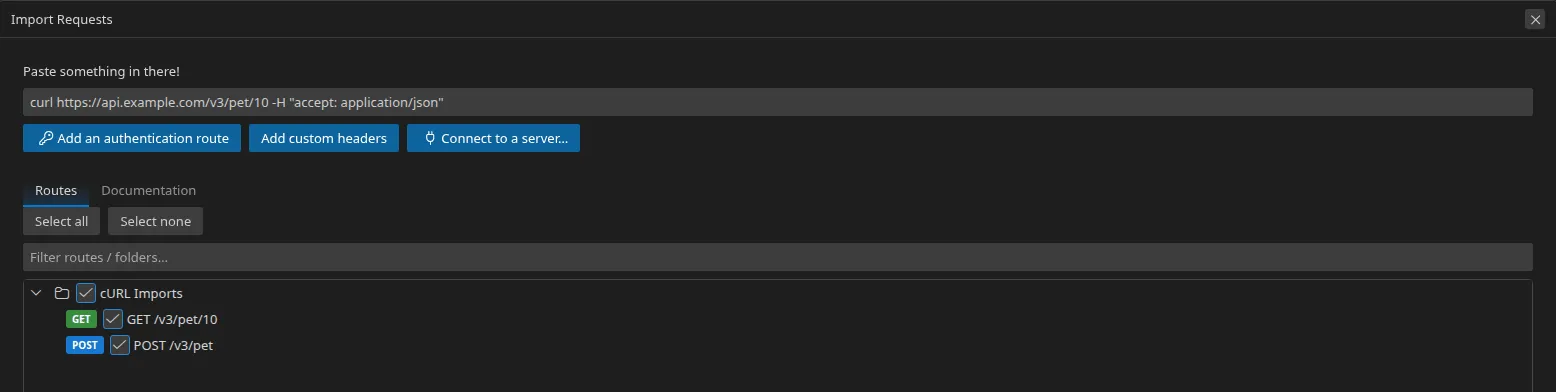
This is the fastest import: you copy a curl command — from documentation, from
your browser’s “Copy as cURL”, from a ticket — and you paste it into Restorm.
Importing
Section titled “Importing”File ▸ Import (Ctrl+I) then paste the text. Restorm recognises a command by
its curl prefix.
Several commands at once are accepted: every line starting with curl starts
a new request. Paste a whole block of documentation and you get a whole folder.
What is recognised
Section titled “What is recognised”curl option | What Restorm makes of it |
|---|---|
-X, --request | The method |
-H, --header | A header |
-d, --data, --data-raw, --data-binary | The body |
-F, --form | A form field (multipart/form-data) |
| The URL’s query string | The query parameters |
After the import
Section titled “After the import”A curl command has no notion of an environment: the URL is hard-coded. Replace
the constant part with a {{variable}} — the field shows the resolved value
underneath it, so you can see straight away whether it is right. See
Inline variables.
The other way round
Section titled “The other way round”Every HTTP request’s Code Snippets tab contains its equivalent curl
command, ready to copy. See Code export.