
Apache Kafka
Right-click in the tree ▸ Add ▸ Kafka request.
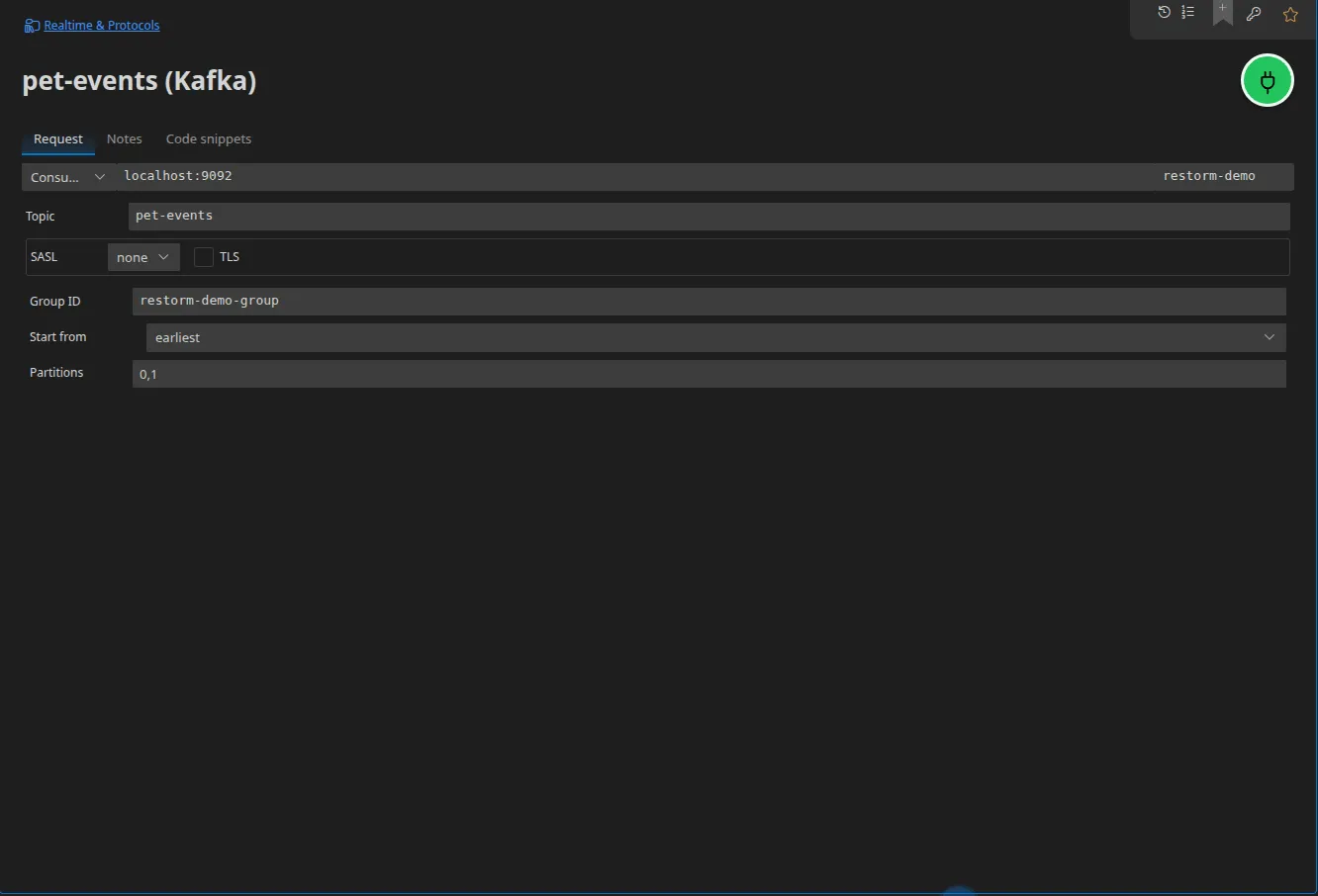
Shared configuration
Section titled “Shared configuration”| Field | Role |
|---|---|
| URL | The comma-separated broker list: hote1:9092,hote2:9092 — the whole string is resolved by Handlebars before being split |
| Client identifier | The clientId announced to the brokers |
| Topic | The topic, whatever the mode |
| Mode | produce, consume or browse |
Authentication
Section titled “Authentication”| Field | Values |
|---|---|
| SASL mechanism | none, plain, scram-sha-256, scram-sha-512 |
| SASL user / SASL password | The password accepts a Secret-typed value |
| TLS | Toggled independently — a TLS broker without SASL works with the none mechanism |
produce mode
Section titled “produce mode”Key, value, record headers and, optionally, partition. Without an explicit partition, the client library’s default partitioner applies. The response returns the written record’s metadata: topic, partition, offset.
consume mode
Section titled “consume mode”| Field | Role |
|---|---|
| Group | The consumer’s groupId |
| Starting offset | earliest, latest or specific |
| Specific offset | A string — Kafka offsets are 64-bit integers |
| Partitions | A client-side filter: partition assignment is still done by the group |
browse mode
Section titled “browse mode”Inspects a partition without a consumer group: Restorm takes a bounded number of messages from it then disconnects. The partition is mandatory in this mode.
This is the right tool for looking at what is in a topic without creating a group or moving an offset.
In a scenario
Section titled “In a scenario”- Kafka produce — a single-shot action, returns the record’s metadata;
- Kafka consume — subscribes through the consumer group and emits one event per message;
- Kafka close — stops consuming.
Code snippets
Section titled “Code snippets”Five targets: JavaScript (kafkajs, for producing and consuming) and kcat
(produce, consume, inspect without a group).