
Serving the design as a mock
Once your models and routes are defined, Restorm can serve your design like a real mock server. You point your application (or a client) at it and you test how it consumes the API — even before the back-end exists.
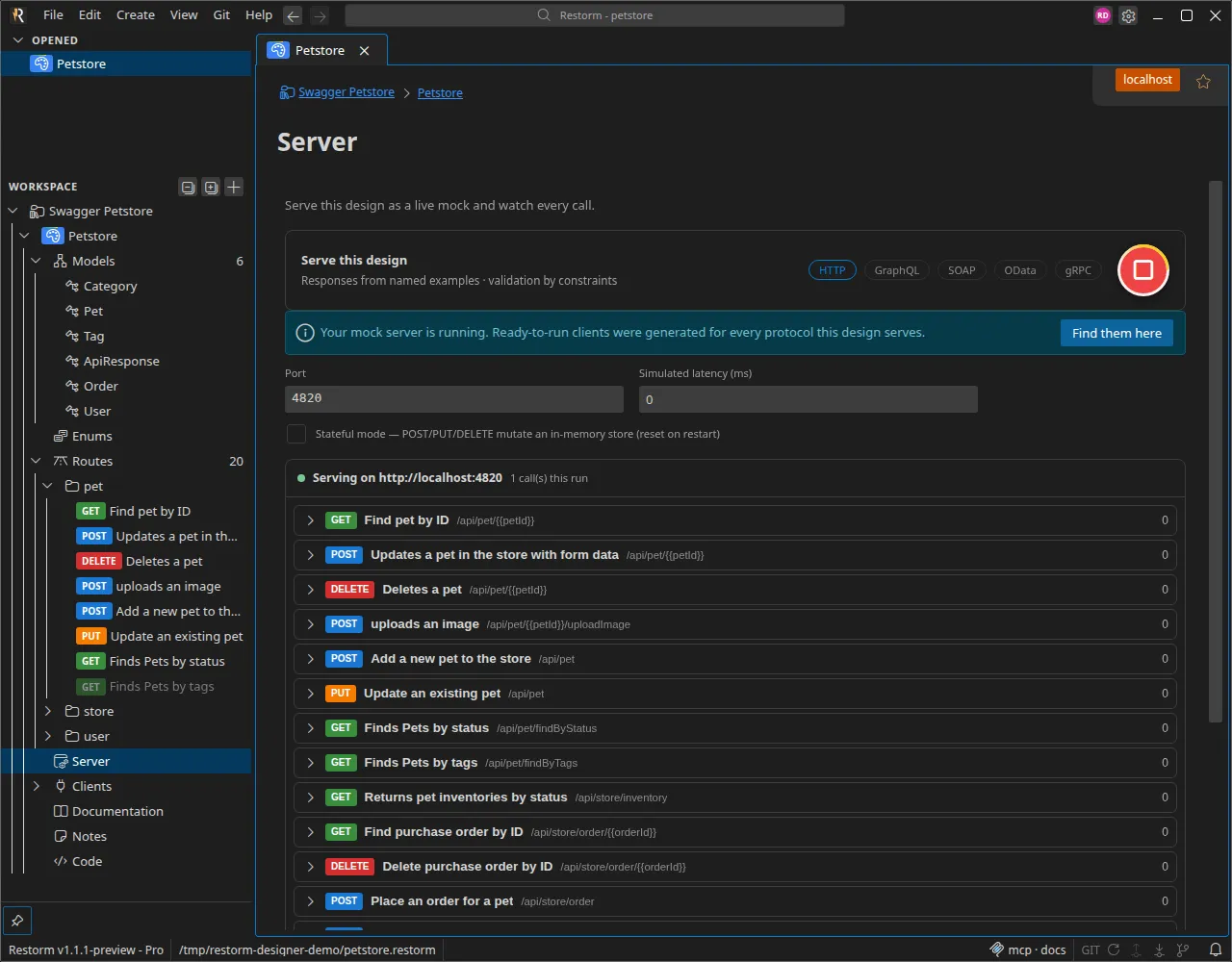
Starting the server
Section titled “Starting the server”In the Server section, enable Serve this design, choose a
port and start listening. You can add a simulated latency to
imitate a real network, and enable stateful mode: POST / PUT /
DELETE then modify an in-memory store (reset on restart).
The server refuses to start as long as the design has validation issues — fix them first.
The served responses come first from your named examples, then from an
automatically generated dataset. The server also exposes a
/swagger.json.
One design, every protocol
Section titled “One design, every protocol”This is the heart of mock mode: HTTP is always served, and every other protocol is enabled with a simple Serve this projection too toggle. Restorm automatically projects your routes — from their method, path and models — into every protocol:
| Protocol | Projection |
|---|---|
| HTTP | Your REST routes, as defined. |
| GraphQL | Matching queries and mutations. |
| SOAP | Operations and envelopes. |
| OData | Queryable entity sets. |
| gRPC | Methods and messages. |
A Projections panel shows, for a given route, its signature in each served protocol — “the same operation, as each protocol exposes it”.
Tracking and forcing responses
Section titled “Tracking and forcing responses”While running, a panel shows the listening address and the number of calls served. You can force a response (a status, a specific body) on a route to reproduce a particular case, then stop the server when you’re done.