
WebSocket
Right-click in the tree ▸ Add ▸ WebSocket request.
Restorm’s WebSocket type covers three closely related protocols, selected by a
Protocol field: websocket (raw),
socketio and
mqtt. This page deals with raw WebSocket.
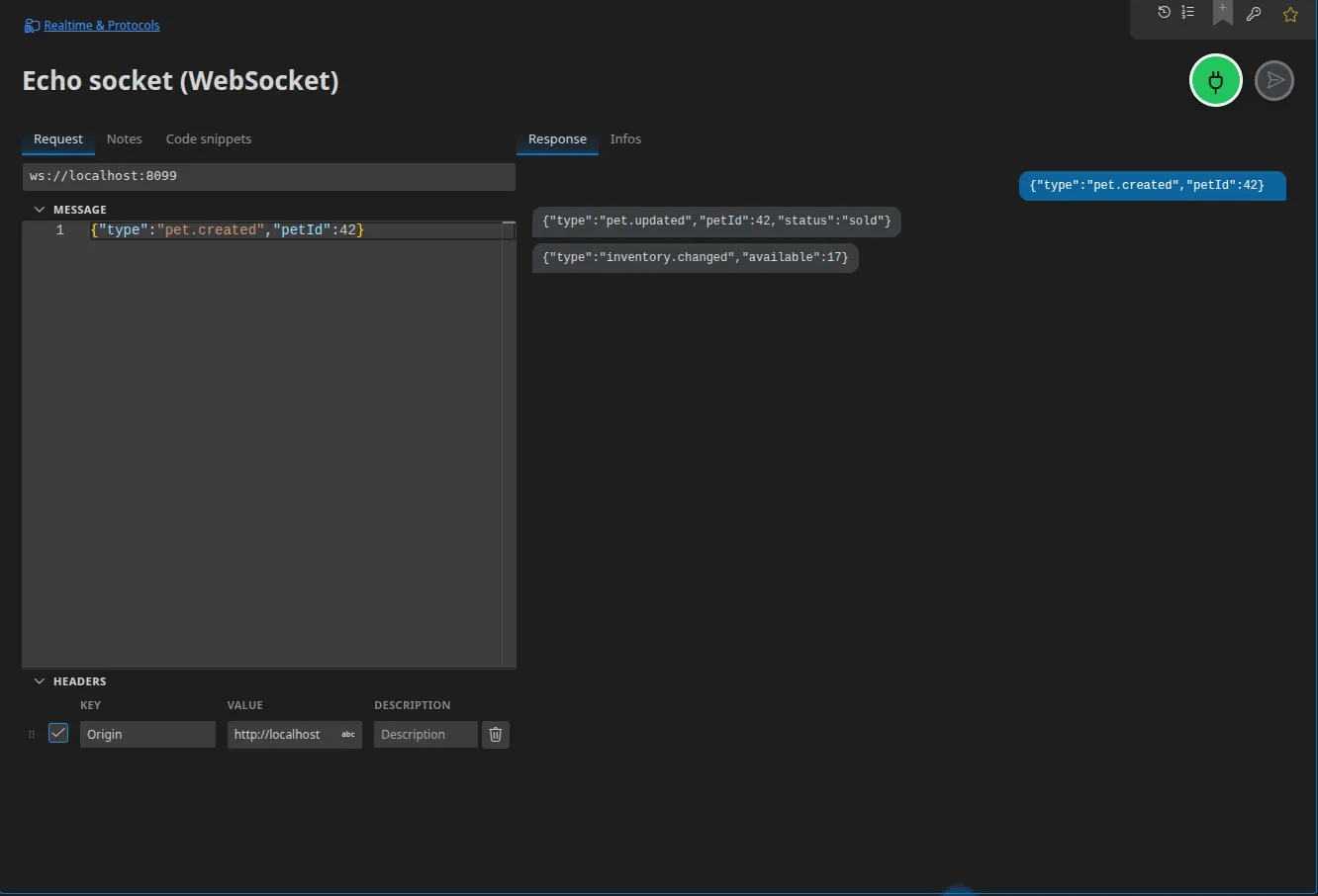
Configuration
Section titled “Configuration”| Field | Role |
|---|---|
| URL | ws:// or wss:// |
| Message | The payload to send |
| Headers | The opening request’s headers (handshake) |
The lifecycle
Section titled “The lifecycle”The action button opens the connection; the response panel shows frames as they arrive, in order, timestamped. That same button closes the connection again.
In a scenario
Section titled “In a scenario”Three actions, to be used together:
- WebSocket connect — opens the connection and gives it a name. It has two
outputs:
connected(a signal, once) andmessage(one emission per frame received); - WebSocket send — sends a payload over the named connection;
- WebSocket close — closes it again.
That split is what lets you write “I connect, I send an order over HTTP, then I check the WebSocket notification arrives” in a single graph. See Connections and streams.
Server mode
Section titled “Server mode”Restorm can host a WebSocket server. It shares its socket with the other servers
on the same port: an HTTP mock server and a WebSocket server can listen together
on :8080 — ordinary requests go to the HTTP routes, upgrade requests to the
WebSocket server. See
Mocking WebSocket, Socket.IO and MQTT.
Code snippets
Section titled “Code snippets”Fifteen targets shared with Socket.IO and MQTT: the browser’s WebSocket, ws
(Node.js), TypeScript, Socket.IO Client, MQTT.js, Python (websockets, paho-mqtt),
Go (gorilla/websocket), C# (ClientWebSocket), Java (java-websocket), Ruby, Rust
(tokio-tungstenite), Swift (URLSessionWebSocketTask), Kotlin (OkHttp).