View ▸ Settings opens the settings in a workbench tab.
A fuzzy search bar sits at the top, a table of contents on the left, the content on
the right with sticky headers. Each setting carries a cog menu — Reset Setting,
Copy Setting ID — and an indicator when its value has been changed.
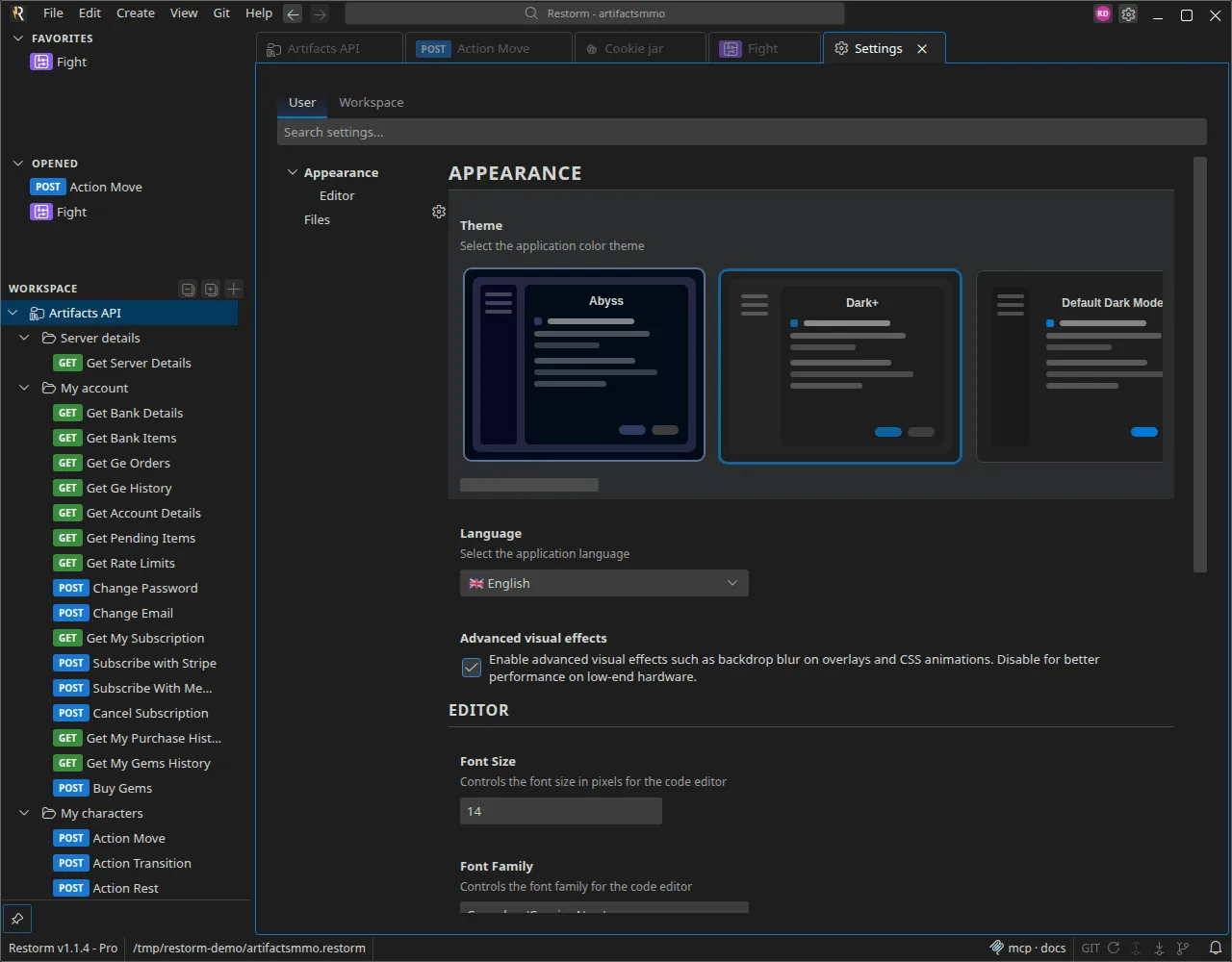
Two tabs at the top:
| Scope | Writes to | Precedence |
|---|
| User (default) | Your personal settings | The lowest above the default values |
| Workspace | <project-folder>/.restorm/settings.json | Wins over the user scope |
The Workspace tab is disabled as long as no project is open. It only writes the
keys actually overridden, which keeps the file readable and committable: that is how
you impose a setting on a whole team.
Some settings are user-only and do not appear in the workspace tab (the
language, for instance). A footer then says how many are hidden.
| Setting | Type | Default | Role |
|---|
| Theme | Theme | Dark+ | The colour theme, chosen from a carousel of previews. See Themes |
| Language | List, user | en | The application’s language — 27 languages |
| Advanced visual effects | Switch | enabled | Backdrop blur on overlays and CSS animations. Turn it off on modest hardware |
| Setting | Type | Default |
|---|
| Font Size | Number, 8 to 72 | 14 |
| Font Family | Text | Consolas, 'Courier New', monospace |
| Word Wrap | Switch | disabled |
| Minimap | Switch | disabled |
| Line Numbers | Switch | enabled |
| Setting | Type | Default | Role |
|---|
| Auto Save | List | Off | Off, After Delay, or On Window Change |
| Auto Save Delay | Number, 100 to 60,000 ms | 1000 | Only acts in After Delay mode |
| Automatically reopen the last opened file | Switch, user | disabled | Reopens the last project at start-up |
| Setting | Type | Default | Role |
|---|
| Date/time format | List | US format | US format (MM/DD/YYYY, 12 h) or ISO format (YYYY-MM-DD, 24 h) — used notably by the history |
| Sync sidebar selection with active tab | Switch | enabled | The tree’s selection follows the current tab |
| Setting | Type | Default | Role |
|---|
| Request format | List | curl | curl (Unix-style) or PowerShell. This is the global default; the toggle in the console’s toolbar overrides it for the session |
| Setting | Type | Default | Role |
|---|
| Enable MCP server | Switch | enabled | Starts the MCP server at launch |
| MCP call-log retention | Number, 0 to 10,000 | 100 | Number of calls kept; 0 disables it |
| MCP capture retention | Number, 0 to 10,000 | 20 | Number of recent calls that keep their screenshot; beyond that, the media is deleted |
| Setting | Type | Default | Role |
|---|
| Apply the default commit message language | Switch, Pro | enabled | Kept in sync with the push modal’s switch |
| Automatic check frequency | List, Pro | 1 h | Off, 15 min, 30 min, 1 h, 4 h, 12 h, 24 h — the built-in git’s background check |
| Setting | Type | Default | Role |
|---|
| Check for updates automatically | Switch | enabled | At start-up and periodically |
| Update status | Display | — | The current version, the state, and a Check now button |
See Installation.
A setting that depends on a Pro capability appears greyed out, with an invitation
to move up an edition — it is not hidden. See
Plans and capabilities.
