
Themes
Settings ▸ Appearance ▸ Theme presents a carousel of previews. The change is applied live, with no restart, and to every open window.
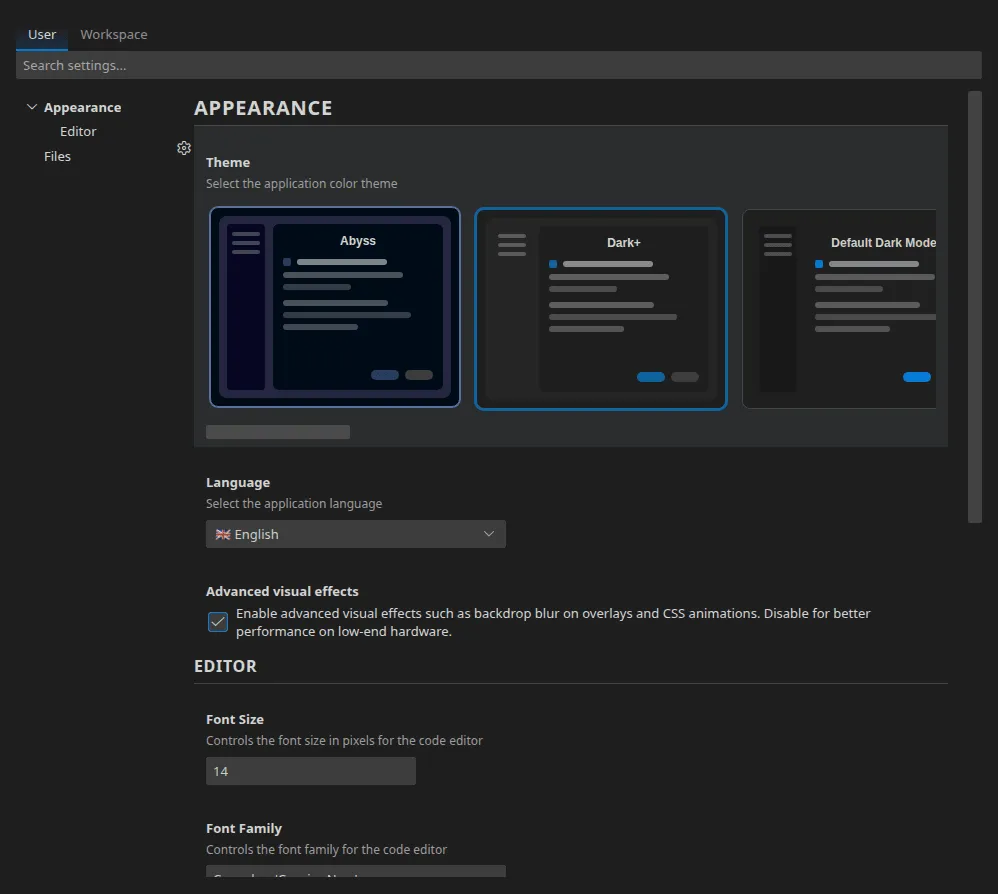
Dark themes (9)
Section titled “Dark themes (9)”| Theme | Character |
|---|---|
| Dark+ | The default theme |
| Default Dark Modern | A higher-contrast variant |
| Abyss | Deep blue tones |
| Kimbie Dark | Warm, brown tones |
| Monokai | The classic, very colourful |
| Monokai Dimmed | A desaturated Monokai |
| Red | A dark red base |
| Solarized (dark) | The Solarized palette |
| Tomorrow Night Blue | A saturated blue base |
Light themes (5)
Section titled “Light themes (5)”| Theme | Character |
|---|---|
| Light+ | The reference light theme |
| Default Light Modern | A higher-contrast variant |
| Quiet Light | Soft, lightly saturated |
| Solarized (light) | The Solarized palette |
| Sunset Beach Day | Warm tones |
Over MCP
Section titled “Over MCP”Three tools, in the Pro edition: list_themes (identifier, name, family),
get_current_theme and switch_theme. See
MCP tools.
That is, among other things, what will make it possible to produce a set of screenshots in every theme with no manual intervention.