
Recording sessions
A recording session watches a web page while you use it and notes every API call it makes: REST, GraphQL, gRPC-web and WebSocket. The captured calls read like ordinary responses and, on the Pro and Enterprise plans, turn into a folder of real, replayable requests, prefilled with what the page actually sent.
It is the shortest path to documenting an API when all you have is its front end: no proxy to configure, no certificate to install, no browser extension.
Creating a session
Section titled “Creating a session”A session is created anywhere in the tree — at the root, in a folder or in an environment folder — from the context menu (“Add” → “Recording session”) or from the “Create” menu; only a scenario cannot hold one. It shows in the sidebar as a parent node: clicking the session itself opens its configuration page, and each of its child rows opens its own tab.
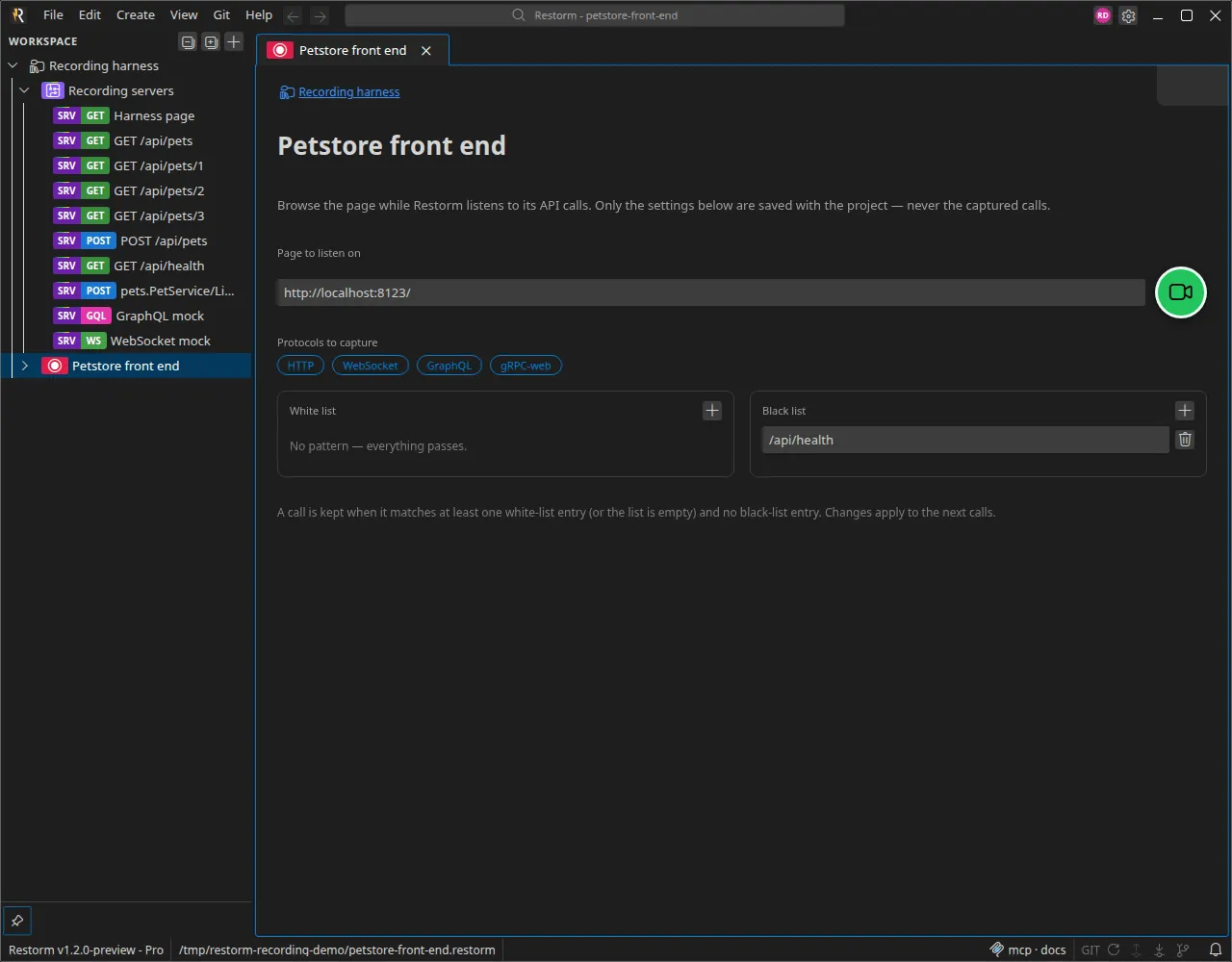
The configuration comes down to four things:
- The page url to open in the mini-browser (
http://,https://orfile://). The Record button stays disabled until it is valid. - The protocols to capture: HTTP, WebSocket, GraphQL, gRPC-web — all checked by default.
- The white list: regular expressions; a call is kept when it matches at least one of them. Empty, it lets everything through.
- The black list: regular expressions; a call matching any of them is dropped. The black list always has the last word.
Only these settings and the deduced routes are saved in the project file. The captured calls stay in memory: they are gone when the project closes and are never written to disk.
Recording
Section titled “Recording”The Record button opens the page in a mini-browser tab and attaches the recorder before the first load, so the calls the page makes while starting up — including a WebSocket opened right away — are captured. A pulsing beam around the session’s badge in the sidebar, and around its tab, shows that the recording is running.
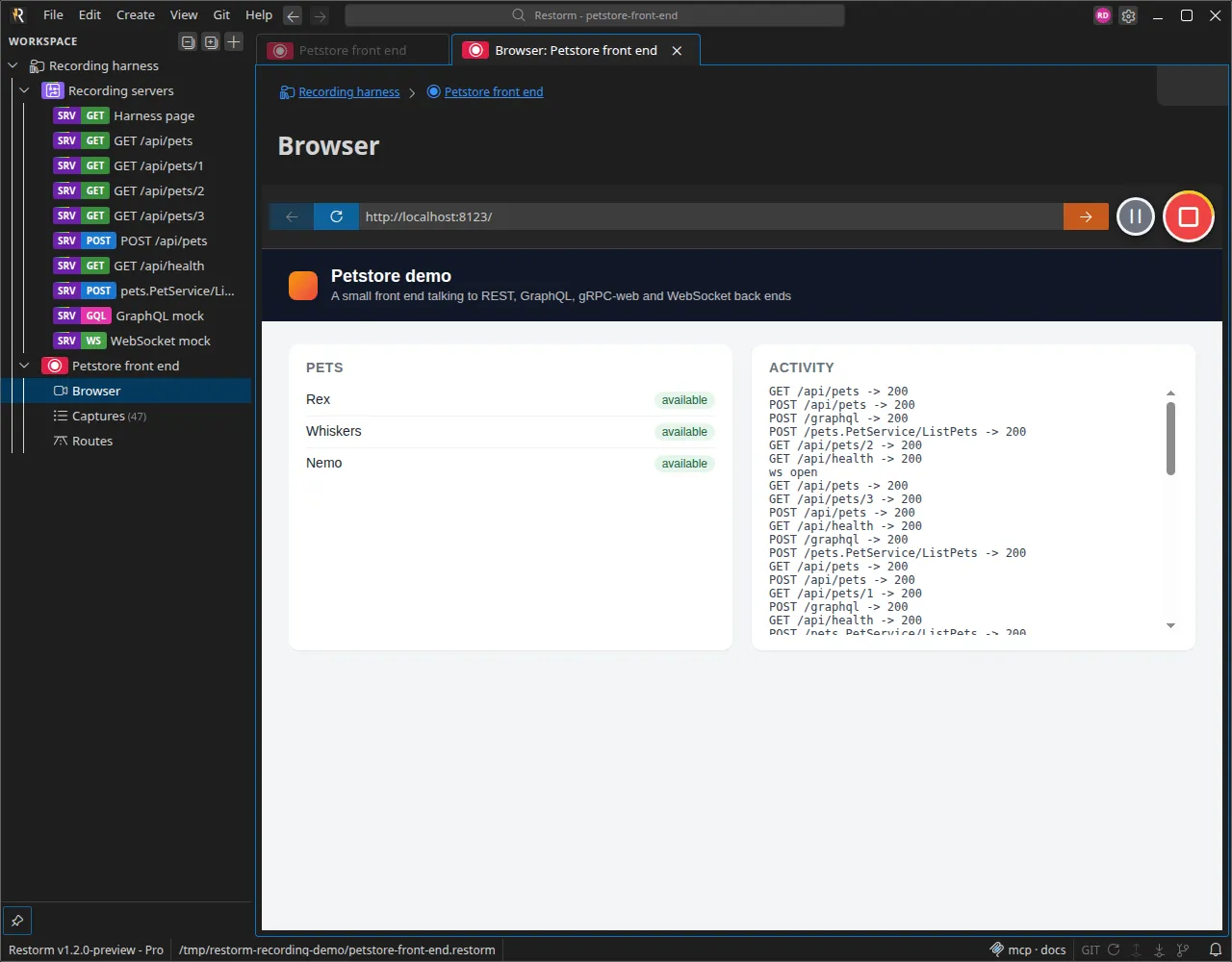
Browse and use the page as usual. Two buttons on the address line control the session:
- Pause keeps the page open but stops storing calls — handy to skip a screen of no interest.
- Stop detaches the recorder and closes the browser tab. The captures remain available.
Recording is always an explicit act: a browser tab restored when the application reopens records nothing.
Sites that need your location ask the browser for it, and by default the mini-browser gives nothing away. The Share your location with the embedded browser setting, in the Privacy section of the application settings and off by default, provides your approximate position after asking for your consent — from the system’s location service, failing that from a city-level estimate based on your IP address. Turning it off forgets the position at once.
The captures
Section titled “The captures”The session’s “Captures” row opens the view of the calls, grouped by run from the oldest to the newest and updated live while recording. While the list is scrolled to the bottom it follows the newest calls; scroll up to read one and it stays put. A filter field narrows the list; a call’s detail reuses exactly the response tabs of the requests (body, infos, cookies, graph), protocol by protocol.
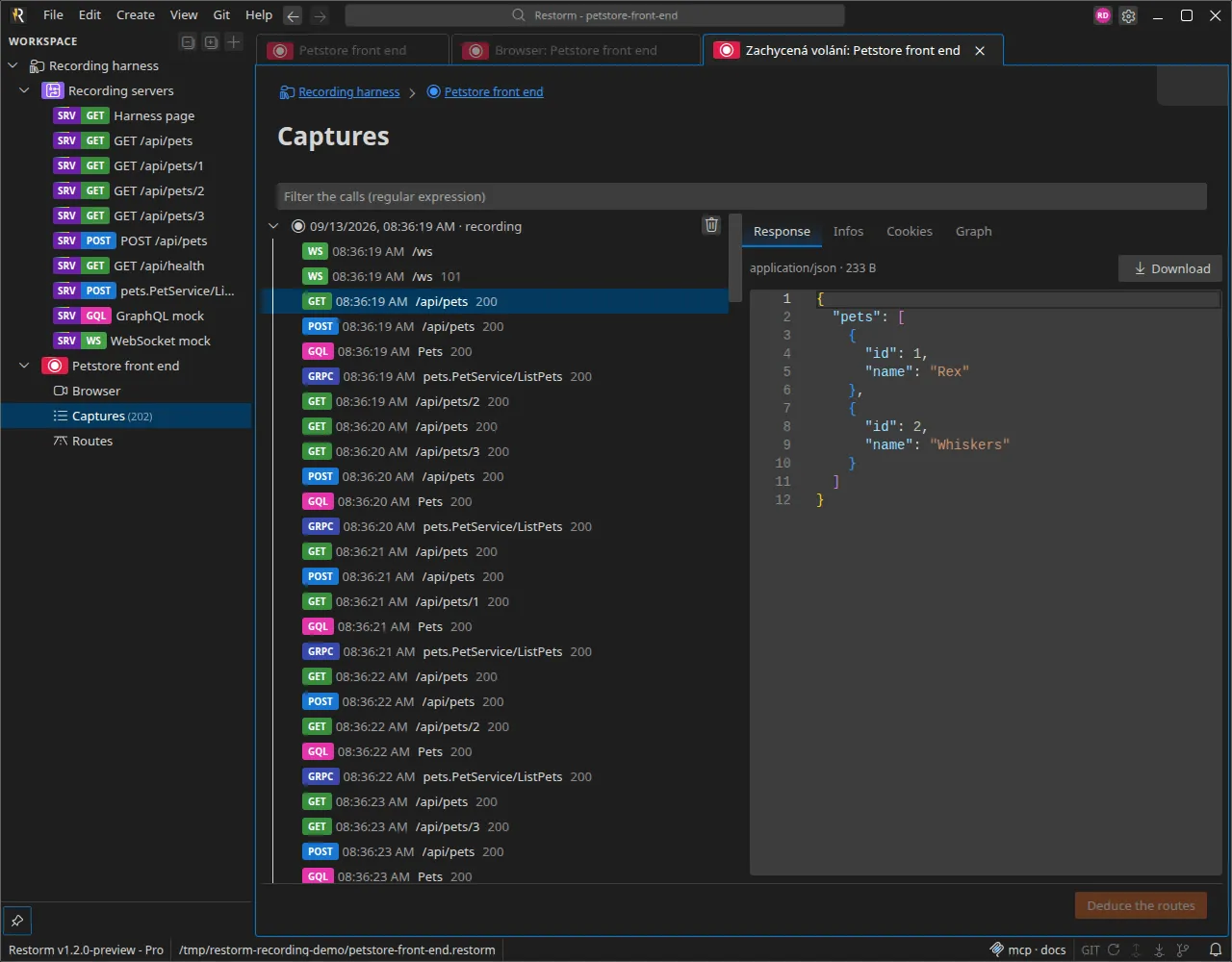
A call’s context menu offers to add it to the white list or the black list, with its url prefilled as the pattern. You may apply the new pattern to the calls already captured: those that no longer pass are removed, for good — the application asks for confirmation.
The number of calls kept per session is capped (1,000 by default, adjustable in the application settings); beyond it, the oldest ones are dropped.
Deducing the routes
Section titled “Deducing the routes”On the Pro and Enterprise plans, the Deduce the routes button of the captures view turns the calls into a tree under the session’s “Routes” row:
- calls are grouped by route: a path segment that varies from one call to the next (
/pets/1,/pets/2) becomes a{{petId}}path parameter; - folders follow the static prefixes of the paths (
api›pets); gRPC-web calls are filed by service; - every route becomes an ordinary request — HTTP, GraphQL, gRPC-web or WebSocket — prefilled from the last successful call (headers, parameters, body) and replayable right away;
- the captured calls are written to each request’s response history, in the usual format and within the configured retention limit; the response shown by default is the last successful call’s.
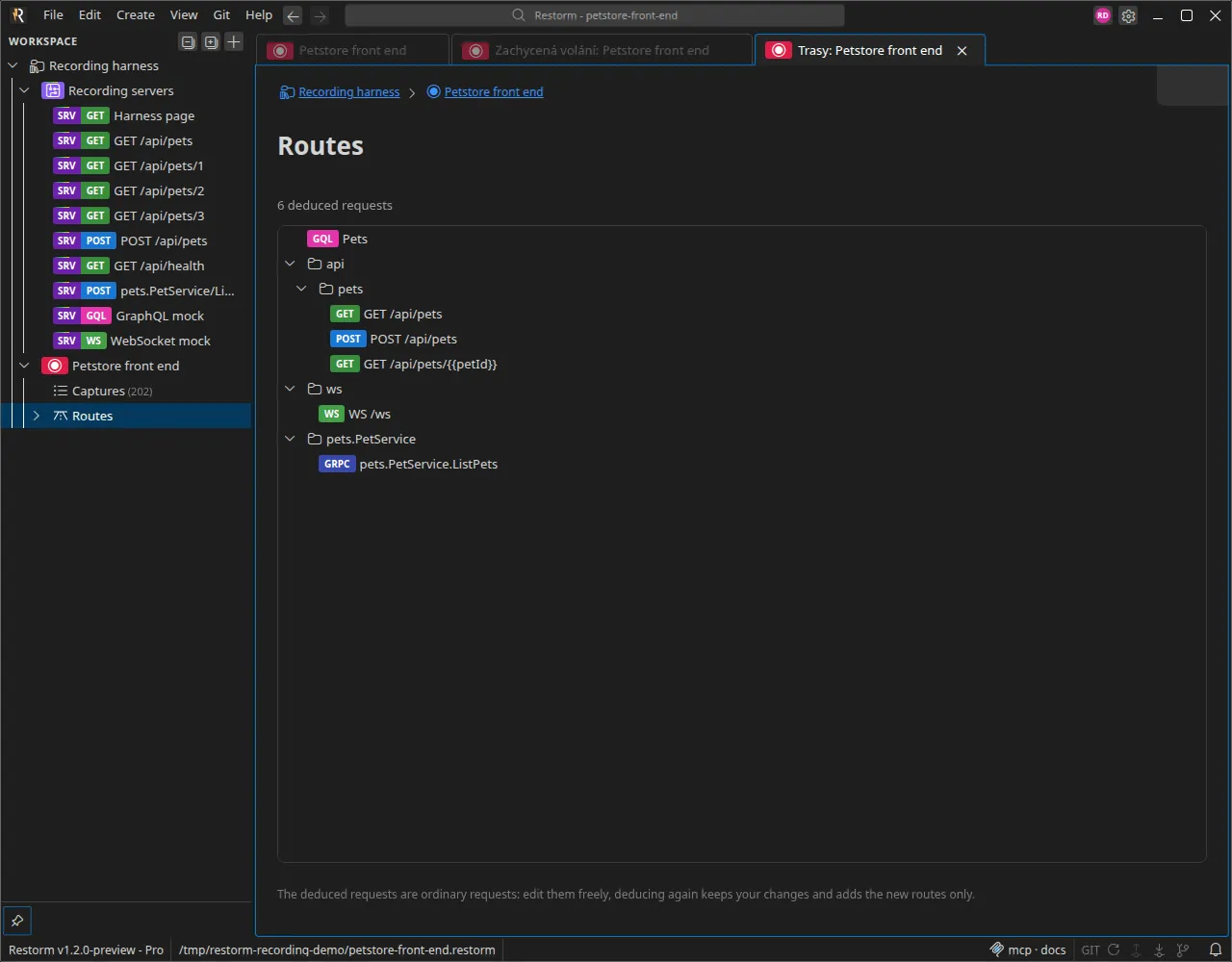
Running the deduction again after new recordings merges: only new routes are added, and existing requests — including the ones you edited — are left untouched.
On the Community plan, recording and browsing the captures are fully available; the Routes tab shows a reminder of the Pro feature.
From an AI assistant
Section titled “From an AI assistant”The whole feature is exposed by the Restorm MCP server: creating and configuring a session, starting and stopping the recording, reading the captures and deducing the routes. An agent can open a page, let it run, then hand back a folder of ready-to-use requests.