
SOAP
Right-click in the tree ▸ Add ▸ SOAP request.
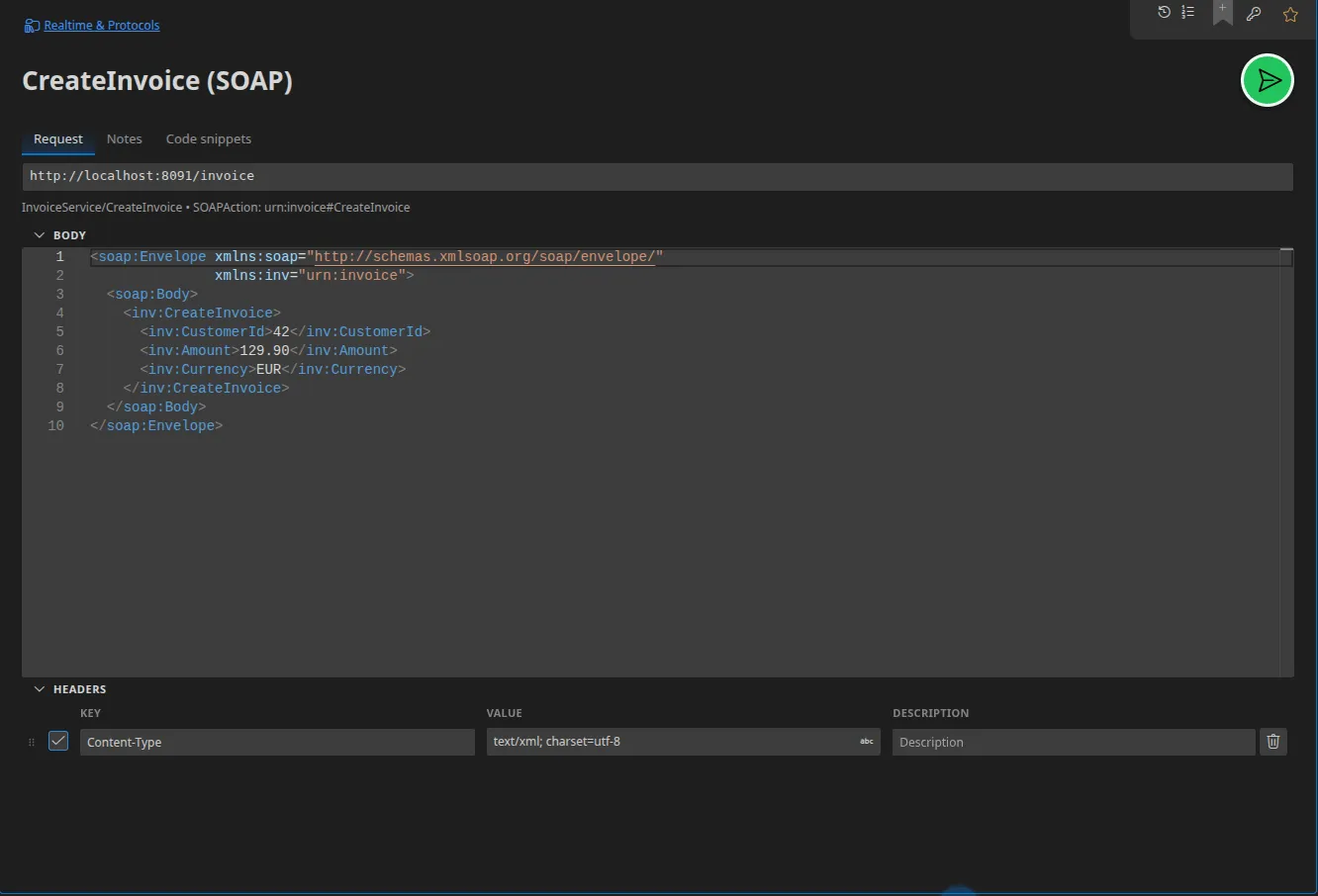
Configuration
Section titled “Configuration”| Field | Role |
|---|---|
| URL | The service’s endpoint |
| SOAPAction | The operation’s SOAPAction header |
| Service / Operation | The names taken from the WSDL, used for dispatch and display |
| Body | The raw SOAP envelope, in XML |
| Headers | The transport’s HTTP headers |
The envelope is editable as it is, with syntax highlighting and reformatting.
{{variables}} work in it as usual.
Importing a WSDL
Section titled “Importing a WSDL”This is the recommended route: File ▸ Import a .wsdl (or a WSDL URL) builds
one folder per service and port, one request per operation, with SOAPAction
filled in and an envelope pre-populated from the schema — plus the API
documentation and the enumerations. See
Importing a WSDL.
SOAP faults
Section titled “SOAP faults”A <soap:Fault> response is displayed as such: Restorm does not settle for an
opaque HTTP 500 status, the fault’s content is highlighted in the response panel.
Server mode
Section titled “Server mode”Restorm can host a mock SOAP service. Each mocked operation is matched by
SOAPAction first, failing that by the name of <soap:Body>’s first child.
An operation can be marked as a fault, which makes it reply with a
<soap:Fault> and an HTTP 500 status. See
Mocking a SOAP service.
Code snippets
Section titled “Code snippets”Fifteen targets, including the “SOAP client” and “raw HTTP” variants of each
ecosystem: cURL, JavaScript (Fetch, the soap npm package), TypeScript, Python
(zeep, raw Requests), C# (WCF, raw HttpClient), Java (JAX-WS, raw
HttpURLConnection), PHP (SoapClient, raw cURL), Ruby (savon), Go (net/http),
PowerShell.