
MQTT
MQTT is available by choosing the mqtt protocol on a
WebSocket request.
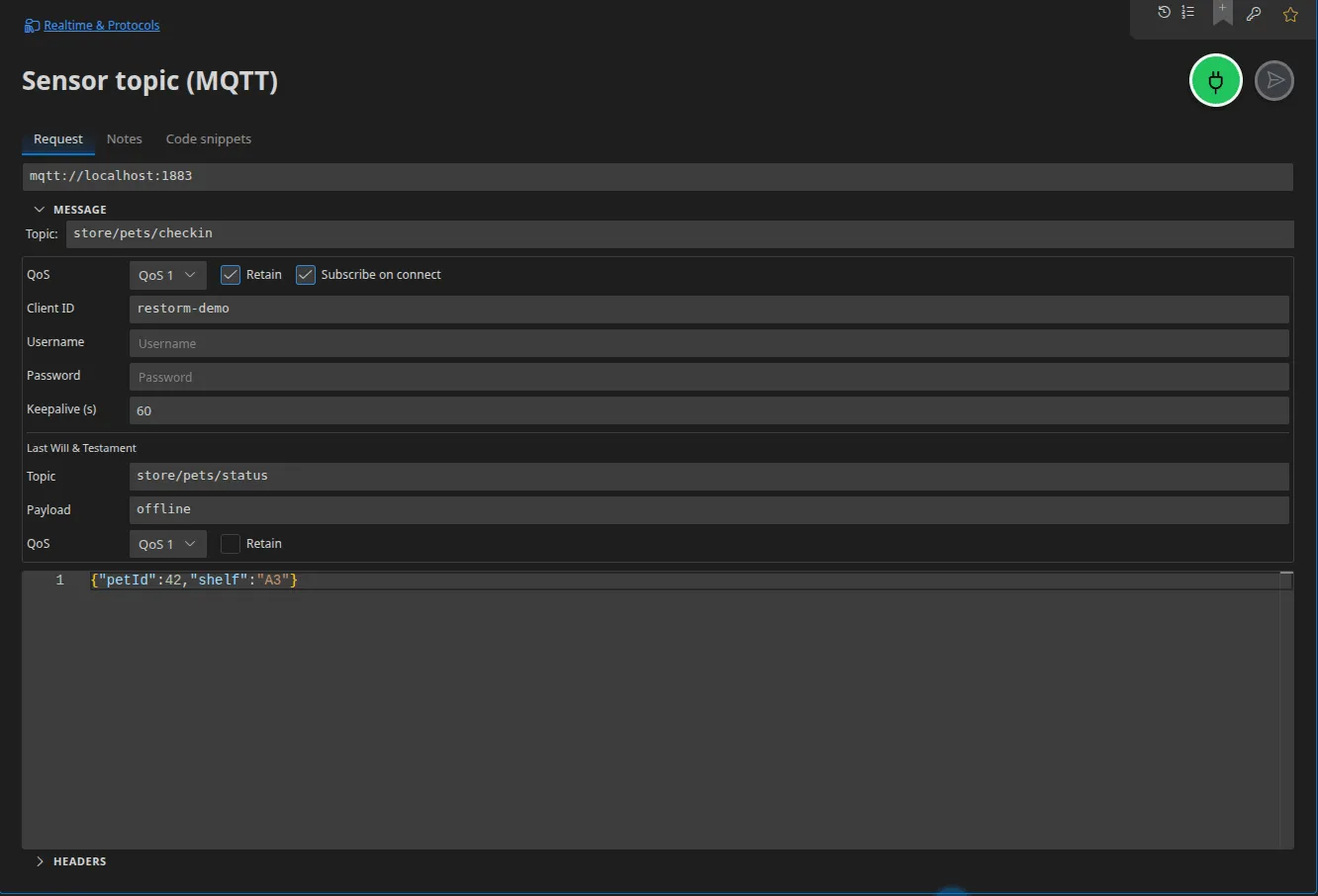
Configuration
Section titled “Configuration”| Field | Role |
|---|---|
| URL | The broker’s address (mqtt://, mqtts://, or WebSocket) |
| Topic | The topic, carried by the Event field |
| Message | The published payload |
| QoS | 0, 1 or 2 — used both when publishing and when subscribing |
| Retain | Marks the message as retained by the broker |
| Client identifier | Resolved by Handlebars; generated automatically if left empty |
| User / Password | Broker credentials; the password accepts a Secret-typed value |
| Keepalive | In seconds |
| Subscribe to topic | Enabled by default: on connecting, Restorm subscribes to the request’s topic |
The topic accepts {{variables}} — capteurs/{{site}}/{{capteurId}} is a
perfectly valid topic.
Last Will and Testament
Section titled “Last Will and Testament”Four fields declare the message the broker will publish if your client disappears abruptly: the will’s topic, payload, QoS and retention.
That is exactly what you need in order to test how your system behaves in the face of an unclean disconnect: configure a will, cut the connection, and check the subscriber reacts.
Reconnection
Section titled “Reconnection”The MQTT client reconnects automatically, with a ceiling of ten attempts.
In a scenario
Section titled “In a scenario”MQTT connect (which subscribes to the request’s topic and emits one event per message received), MQTT publish (publishes, with the request’s QoS and retention) and MQTT close. See Connections and streams.
Server mode
Section titled “Server mode”Restorm can host a local MQTT broker: one broker per port, reachable over raw TCP and through an MQTT-over-WebSocket gateway. See Mocking WebSocket, Socket.IO and MQTT.
Importing from AsyncAPI
Section titled “Importing from AsyncAPI”An AsyncAPI document whose channels use the mqtt protocol produces MQTT
requests directly (one per channel, for publishing and for subscribing), with
sample payloads built from the messages’ schema. See
Importing AsyncAPI.