
MCP logs
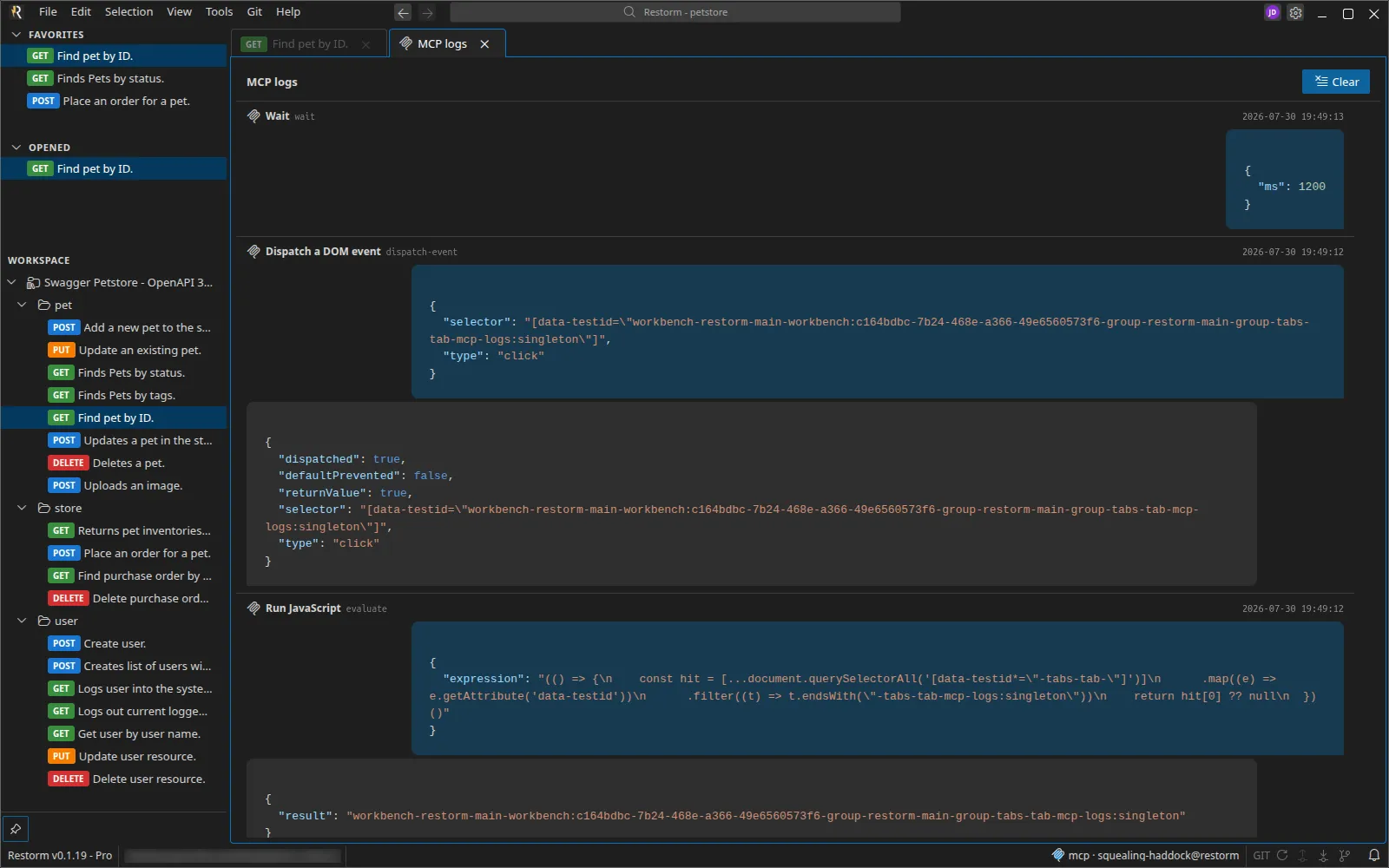
View ▸ MCP logs (the entry is disabled if the MCP server is switched off).
The panel shows every tool call served, as a conversation: the tool’s name, the timestamp, the request received and the response returned.
Why this matters
Section titled “Why this matters”This is the surface that makes AI driving verifiable. An agent working in your project leaves a complete trace here: you can see what it read, what it wrote, and what it ran.
Before granting an agent the right to write into a real project, leave this panel open for a session — it is the best way of understanding what it does.
Screenshots
Section titled “Screenshots”Screenshot and video-recording calls are rendered as thumbnails, never as raw base64: the panel stays readable.
Retention
Section titled “Retention”Two settings, in Settings ▸ MCP:
| Setting | Default | Role |
|---|---|---|
| MCP call log retention | 100 | Maximum number of calls kept in memory; 0 disables logging |
| MCP screenshot retention | 20 | Number of recent calls that keep their screenshot; beyond that, the media (and the temporary video file) is deleted |
The second setting exists because a slightly long automation session produces a lot of images: without a ceiling, memory and temporary disk balloon.
A Clear button empties the panel.
See also
Section titled “See also”- Driving Restorm over MCP — enabling, connecting, security.
- MCP tools — the inventory.
- Console — the network traffic, not to be confused with MCP calls.