
Code generation
From the Code section, Restorm generates the code of your application from your design. Generation relies on Cookiecutter/Copier-compatible templates: your own, or those provided by Restorm.
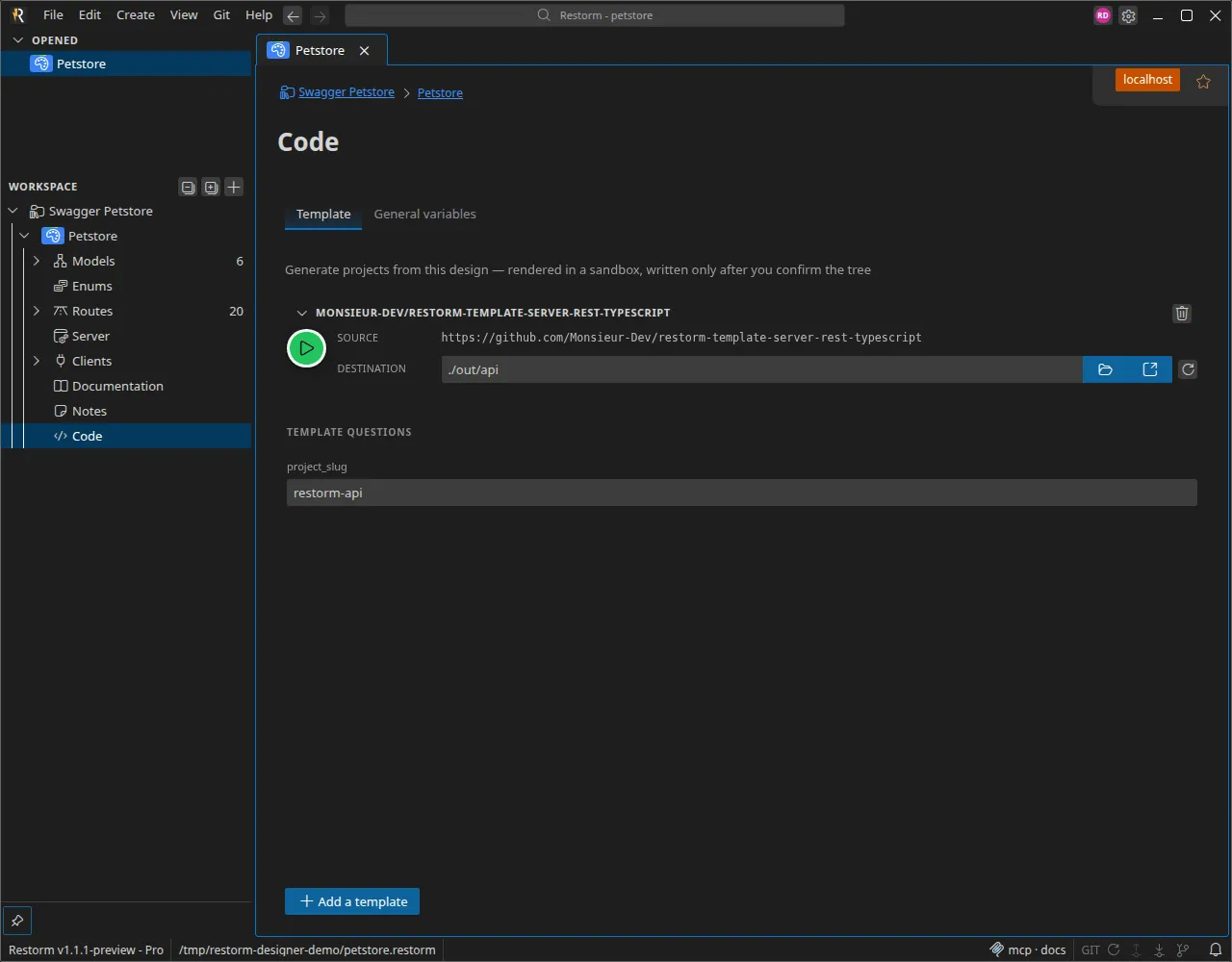
Generating a project
Section titled “Generating a project”- Add one or more templates — via the template library.
- Choose an output folder (absolute, or relative to the project).
- Click Generate the project.
Generation is rendered in a sandbox then produced as a preview: Restorm shows you the tree of generated files and writes nothing until you confirm. You can then Write to the output folder or Discard. (Generation is blocked as long as validation issues remain.)
The template’s questions
Section titled “The template’s questions”A template can declare questions (in the Copier sense — for example a
project_slug), which you answer at generation time. Your answers
are saved in a .copier-answers.yml file at the root of the output,
and reloaded on the next generation.
Updating generated code
Section titled “Updating generated code”Generation is not one-way. Regenerating plays the role of a copier update: Restorm remembers a base and performs a three-way merge
between the template’s new output and your local modifications — so your
changes are not overwritten. You evolve your design (or the
template), you regenerate, and the code updates while preserving your work.
Where a template comes from
Section titled “Where a template comes from”The template library offers four sources:
- Official — the templates maintained by Restorm, visible to everyone.
- Organization — the templates shared within your organization, private to its members. This is an Enterprise feature: an admin — or a member with the manage templates right — adds or removes them (repository URL + description), from the Templates <organization> tab of the library or from the administration dashboard. See Official and organization templates.
- Repository — a GitHub repository
owner/name(typically a fork of an official template that you’ve adapted). - Local folder — a template under development, offline.
A template’s structure and the official catalog are described on the page Official templates. What a template receives from your design (models, routes and their flags) is detailed in The template context, and the template’s own settings in Generation variables.